Left: what goes in
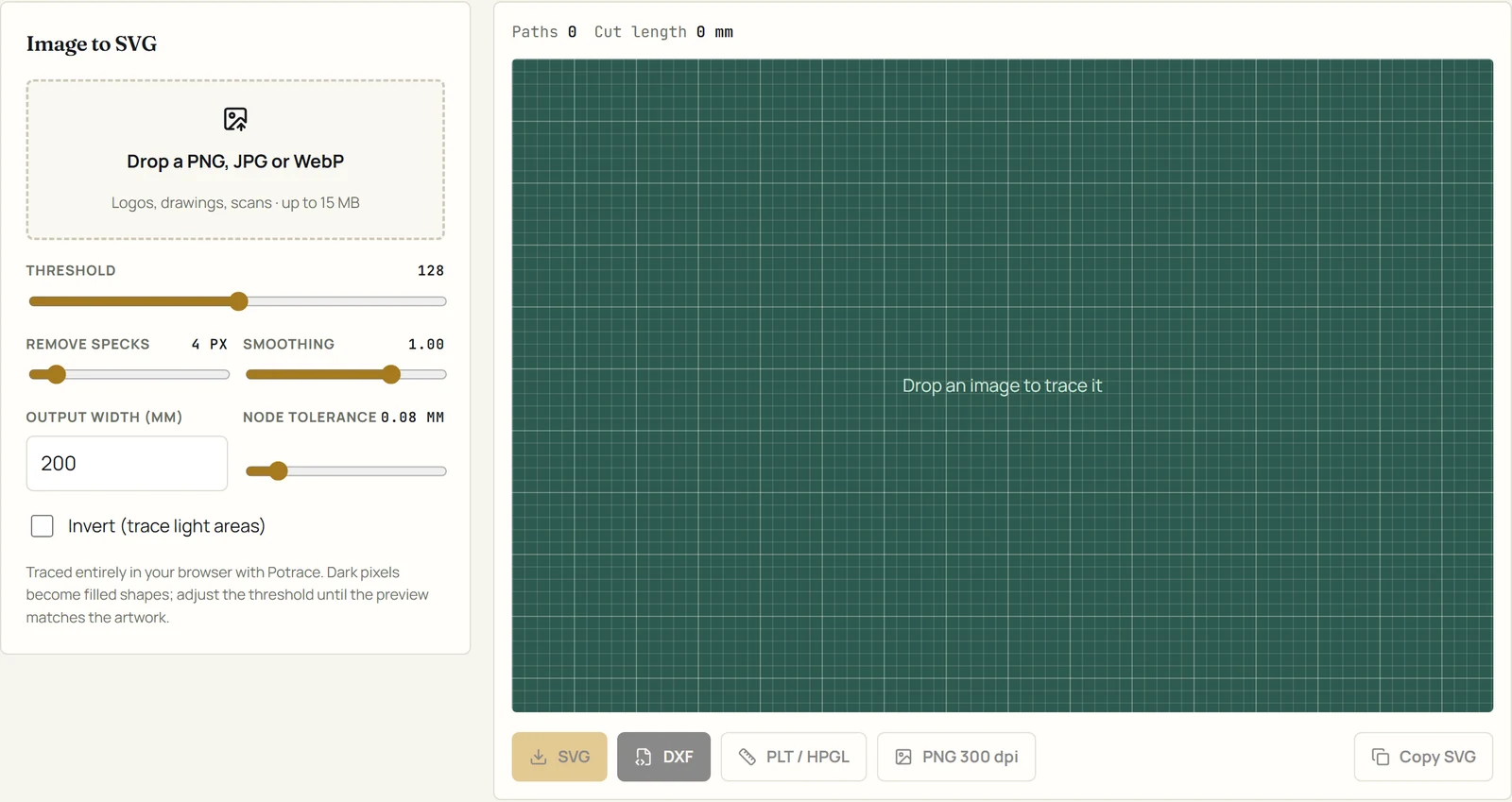
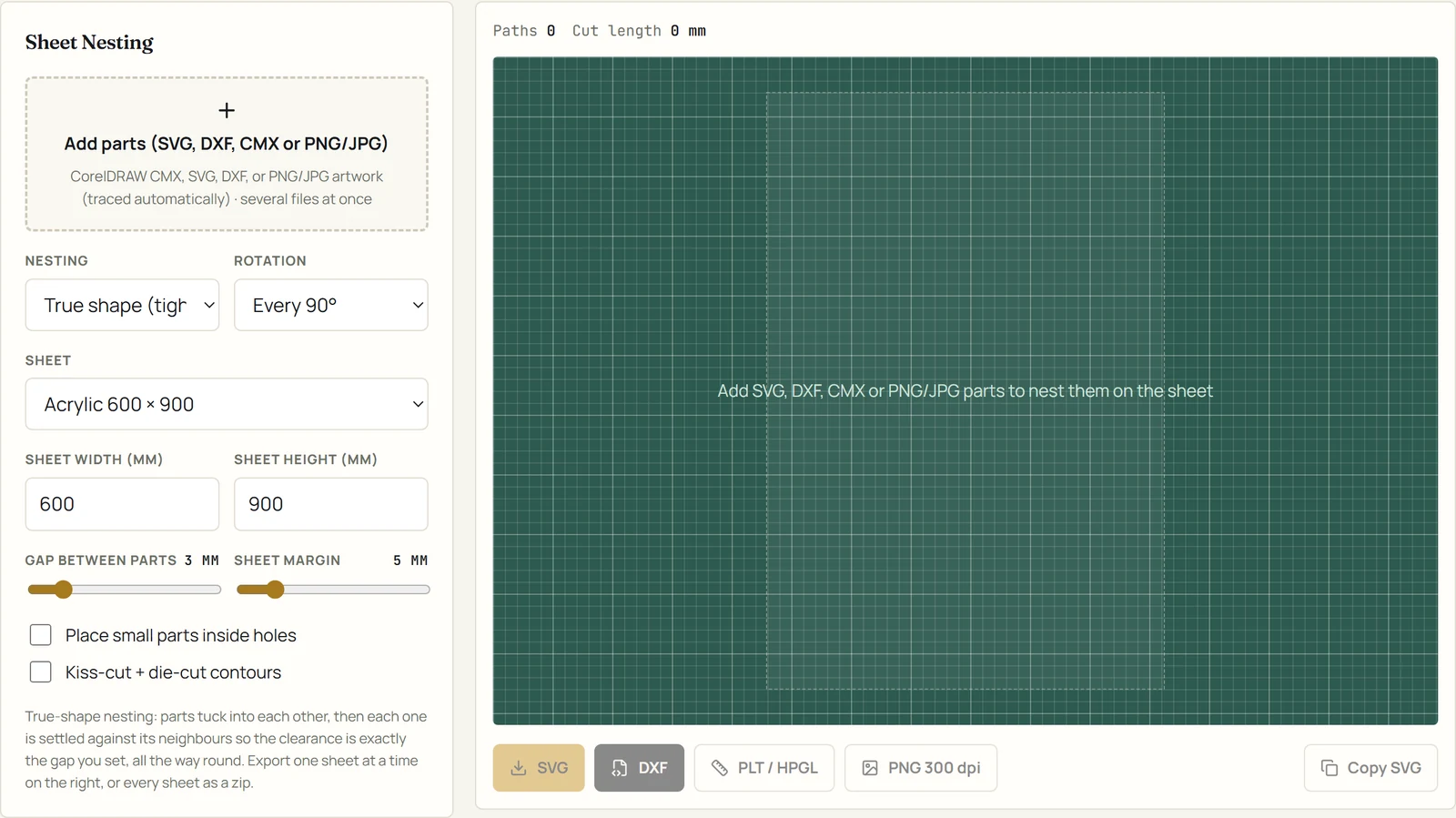
Type text, or drop a file on the dashed box: SVG, DXF, CorelDRAW CMX, or PNG, JPG and WebP artwork that is traced on the spot. Under it are the tool's options: sizes in millimetres, fonts, thresholds, gaps, sheet presets.
Guide
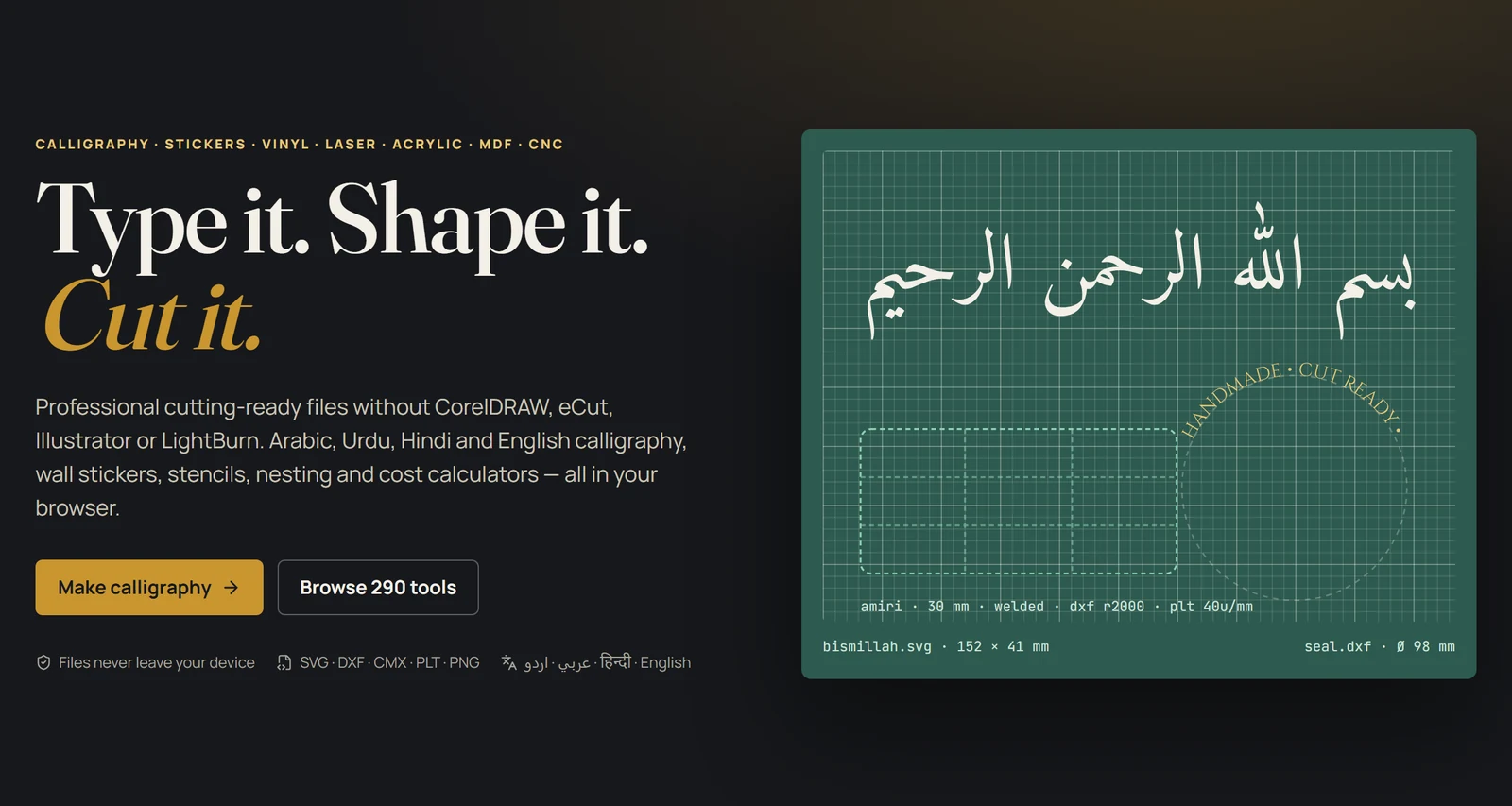
Type it, shape it, cut it: every tool follows the same workbench, and every export is in real millimetres. This page explains the workbench once, then walks through the jobs people come here for.
Type text, or drop a file on the dashed box: SVG, DXF, CorelDRAW CMX, or PNG, JPG and WebP artwork that is traced on the spot. Under it are the tool's options: sizes in millimetres, fonts, thresholds, gaps, sheet presets.
The result draws on a mat with a millimetre grid, and the readout above it shows the number of paths and the total cut length. What you see is exactly what the export contains.
SVG for design software, DXF (R2000, mm) for lasers and CNC, PLT / HPGL for vinyl plotters, PNG 300 dpi for previews, and Copy SVG to paste straight into another program.
| Direction | Format | Notes |
|---|---|---|
| In | SVG | Sizes read from the viewBox or width; otherwise 96 DPI pixels. Up to 25 MB. |
| In | DXF | Lines, polylines, arcs and splines are flattened; units taken from the file. |
| In | CMX (CorelDRAW) | Opens directly, no CorelDRAW needed. Save as CMX from CorelDRAW's Export menu. |
| In | PNG, JPG, WebP | Traced into paths on the spot (Image to vector), up to 15 MB. |
| Out | SVG | Layered, millimetre units, compound paths for holes. |
| Out | DXF R2000 | Millimetres. For LightBurn, RDWorks, laser and CNC software. |
| Out | PLT / HPGL | 40 units per millimetre, for vinyl plotters and their drivers. |
| Out | PNG 300 dpi | A raster preview for mock-ups and approvals, not for cutting. |
Export PLT. Weld the letters, add weeding boxes or lines, and mirror only for heat-transfer vinyl. The roll layout and roll nesting tools pack designs along a roll width.
Export DXF. Check open paths first, apply kerf offset, add tabs for parts that must stay in the sheet, and nest on a bed preset so nothing runs past the edge.
Use inside and outside offsets for the tool diameter, tabs and drill holes, then order the paths and write G-code from the CNC category.
Each tool page has its own three-step guide and answers under the workbench. This is the map.
Files without a viewBox or physical width are read as 96 DPI pixels. Use the Resize operation (Vector editing) to set the exact width you need; every export is then in true millimetres.
Export from CutReady as SVG or DXF. The letters are already outlines, so the other program has nothing to shape and nothing to get wrong. Do not retype the text there.
CutReady writes DXF R2000 in millimetres. If your software asks for units on import, choose millimetres. Very old cutters that only read R12 should be given PLT instead.
Heat-transfer vinyl must be cut mirrored; sign vinyl must not. Use Mirror for Heat Transfer Vinyl (or the Reverse tool) deliberately rather than relying on the plotter driver.
Tracing turns dark pixels into filled shapes, so it needs artwork with clear edges: logos, lettering, line drawings. Raise the threshold, remove specks, or redraw the photo as line art first.
Run Open Path Detector and close the paths it lists (Close Path in Vector editing), then export again.
It is listed so you can see what is planned; it has no workbench yet. Every other tool is live.
No. Shaping, tracing, booleans, nesting and export all run inside your browser. Closing the tab discards the work, so download what you need.
Nothing is uploaded and there is no account. The fonts are published under the SIL Open Font License or Apache License, so the artwork you make with them can be sold. CorelDRAW, LightBurn and Illustrator are trademarks of their owners; CutReady is independent of all of them.